
LAYER ADHESION REPORT
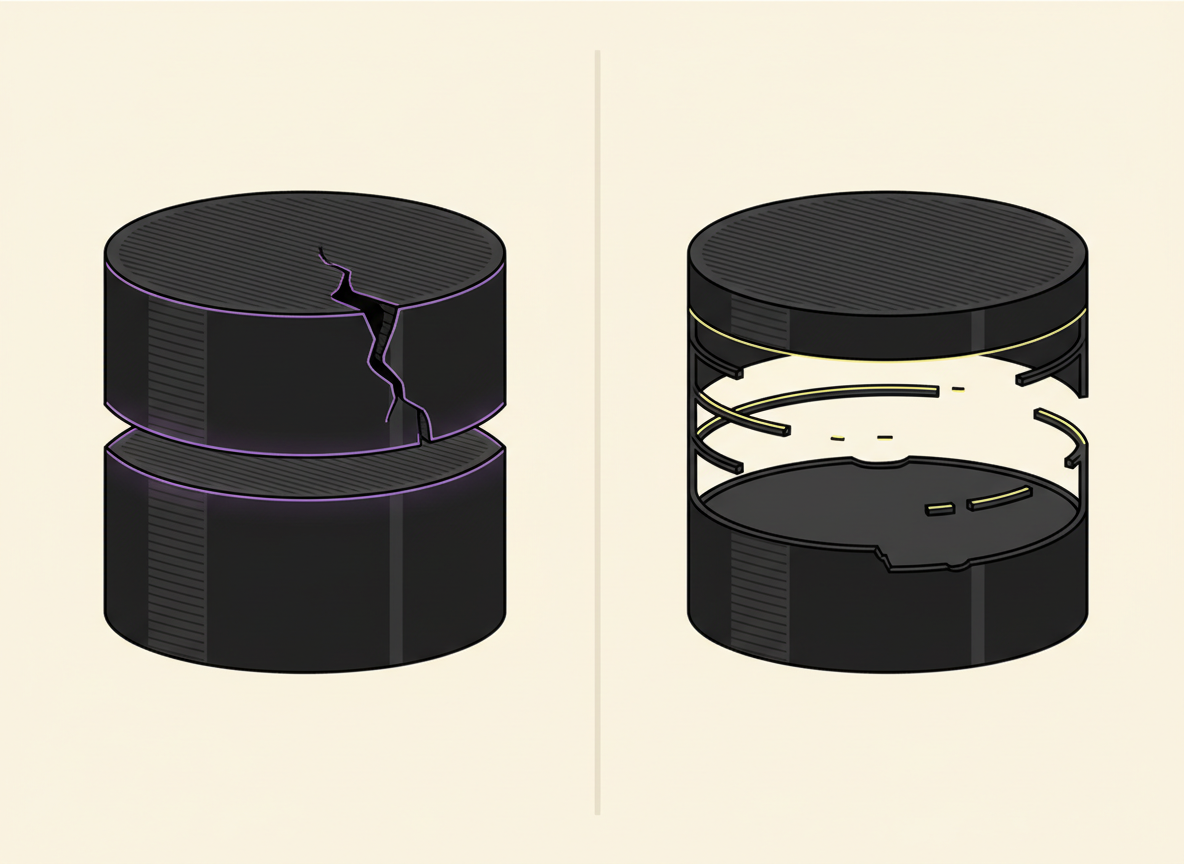
When layers split, the failure pattern matters. A clean horizontal crack is different from a layer that is simply missing material. Moisture can weaken adhesion, but temperature, cooling and warping forces are often stronger explanations.

FIRST SPLIT THE FAILURE TYPE
Clean horizontal crack
More consistent with poor inter-layer bonding, low print temperature, excessive cooling or warping stress.
Sparse / missing layer
More consistent with under-extrusion, a partial clog, feed resistance or an extrusion-volume problem.
Cause priority
01 · TEMPERATURE
Too-cool material may not fuse strongly enough to the previous layer.
02 · COOLING
Excessive fan or cold drafts can weaken bonding and increase contraction stress.
03 · FLOW
If material is actually missing, move to under-extrusion and clog diagnosis.
04 · MOISTURE
Move it up only when popping, bubbling, poor surface quality or exposure history support it.
SOURCE-BASED PRIORITY
Temperature and cooling come first
Prusa describes layer separation as primarily associated with incorrect temperature and/or excessive cooling from the print fan or surrounding environment. Moisture is still possible, but it needs supporting clues.
When moisture becomes a stronger suspect
| Clue | What it changes |
|---|---|
| Popping / crackling | Raises the moisture hypothesis |
| Bubbles or blobs | Supports filament-condition involvement |
| Poor surface quality + weak layers | Moisture becomes more plausible |
| Clean crack with no moisture clues | Temperature/cooling remain stronger first checks |
| Material actually missing | Investigate under-extrusion instead |
Best diagnostic order
- Decide whether the print shows a crack or genuinely missing material.
- Confirm the correct manufacturer/slicer temperature range.
- Check whether fan cooling or cold drafts are excessive.
- If material is missing, investigate under-extrusion or a partial clog.
- If moisture clues are also present, test filament condition without changing unrelated settings.
Do not call every weak part a moisture problem.
The crack pattern tells you where to look first. Use moisture as a supported hypothesis, not a default answer.
Sources
Prusa — Layer separation and splitting · Prusa — Drying filament. Checked September 13, 2026.